The studio of oWmBo · twitch.tv/owmbo
A look inside the studio
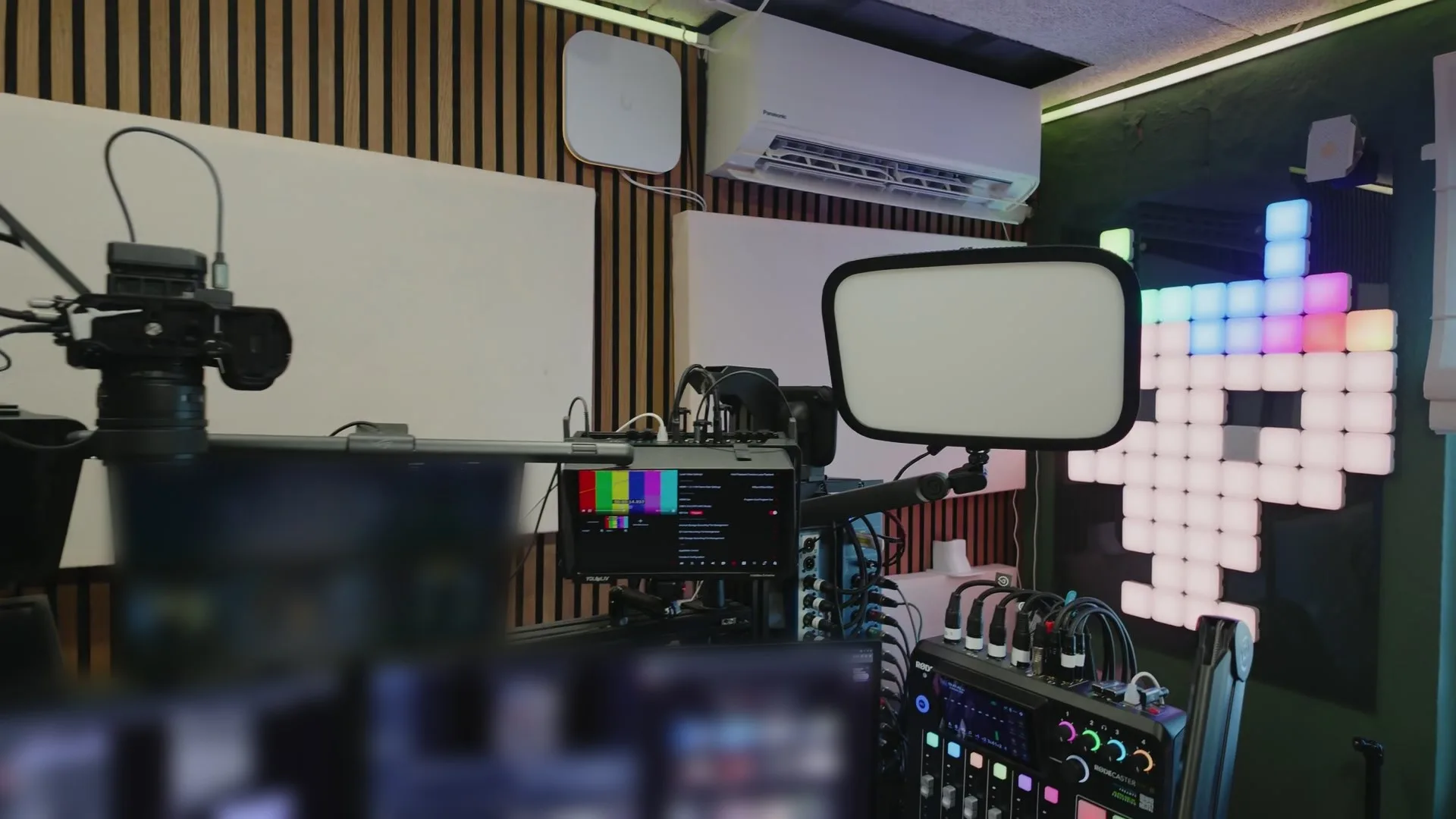
Michel’s office is also the studio of his Twitch channel: four cameras, a green screen, two computers and an audio mixer where all the sound comes together.
By Raya Solano · 10 November 2026

Who streams here
Behind oWmBo is Michel Bosch, who owns mb Informatik. He streams games, hardware mods and studio tech from his office, where desk, sofa, cameras and lights share one room.
How the show is made
Cameras, consoles and the gaming PC deliver the picture. The video switcher turns it into a landscape and a portrait feed, the studio PC adds the overlays and sends the stream. The audio mixer, a Soundcraft Ui24R, mixes the microphones and the game sound.
Four cameras and a green screen
Three of the four cameras are from the Sony Cinema Line. The FX3A sits behind the teleprompter, so Michel looks into the lens while he reads. The FX30 looks down on the desk and shows what his hands are doing. The FX3 sits by the sofa. As the room camera, a DJI Osmo Pocket 4P shows the whole office.
A green screen hangs behind the desk. Two Key Lights light it evenly, and the Ultimatte takes out the green before the picture goes into the video switcher. From the front, a third Key Light, a Key Light Mini and the amaran 100x S light Michel. All studio lights are set to 4000 K and switched through Home Assistant.
Landscape and portrait at once
The video switcher, an ATEM, mixes every show twice: one layer in landscape (16:9), one in portrait (9:16). The overlays come from the studio PC and sit on top of both formats. The vertical clips come from the portrait feed, so none is cropped from the landscape picture.
Two recorders, both HyperDecks, record every show. The Shuttle keeps the landscape feed, and its screen is the control monitor in the office. The HyperDeck Studio records the portrait feed and plays back replays.
Two computers
The games run on the gaming PC, and the show goes out from the studio PC. The gaming PC sits in the rack and sends its picture as NDI (video over the network), and the BirdDog feeds it into the video switcher. PS5 and Switch 2 run through an HDMI matrix into two Elgato 4K X capture devices, both connected to the studio PC over USB.
The studio PC renders the overlays and sends them into the video switcher. Through the DeckLink cards and the Media Player it gets both finished feeds back and encodes the stream on the RTX PRO 4500. For a stream without it, the Streaming Encoder 4K sits on the second output of the switcher.
The sound
Michel talks into the SM7dB; the MKH 50 is the second microphone in the studio. Both plug straight into the Soundcraft Ui24R. Game, music and system audio from the gaming PC reach it separately through the RØDECaster.
All the audio comes together in the Ui24R. The video switcher gets the finished mix through the 2110 IP Presentation Converter, and the individual tracks go to the studio PC over USB. The headphones on the Ui24R are for listening only.
Run from the desk
Two Stream Deck Studios switch scenes, cameras, overlays and recording, and a pedal adds three foot switches. Two touch displays lie in front of Michel: one shows the preview, the stream status and the chat, the other the tech behind it. The Ui24R’s mixing desk shows on a tablet that wakes up by itself as soon as the studio starts.
Watch the stream
The stream on Twitch shows how it all looks together. Every device also has its own page with what it does here.
The studio is Michel’s hobby. At work, Michel and Raya build and run software as mb Informatik, and they source video gear from Blackmagic Design, like the gear here, for companies too: hardware from mb Informatik.